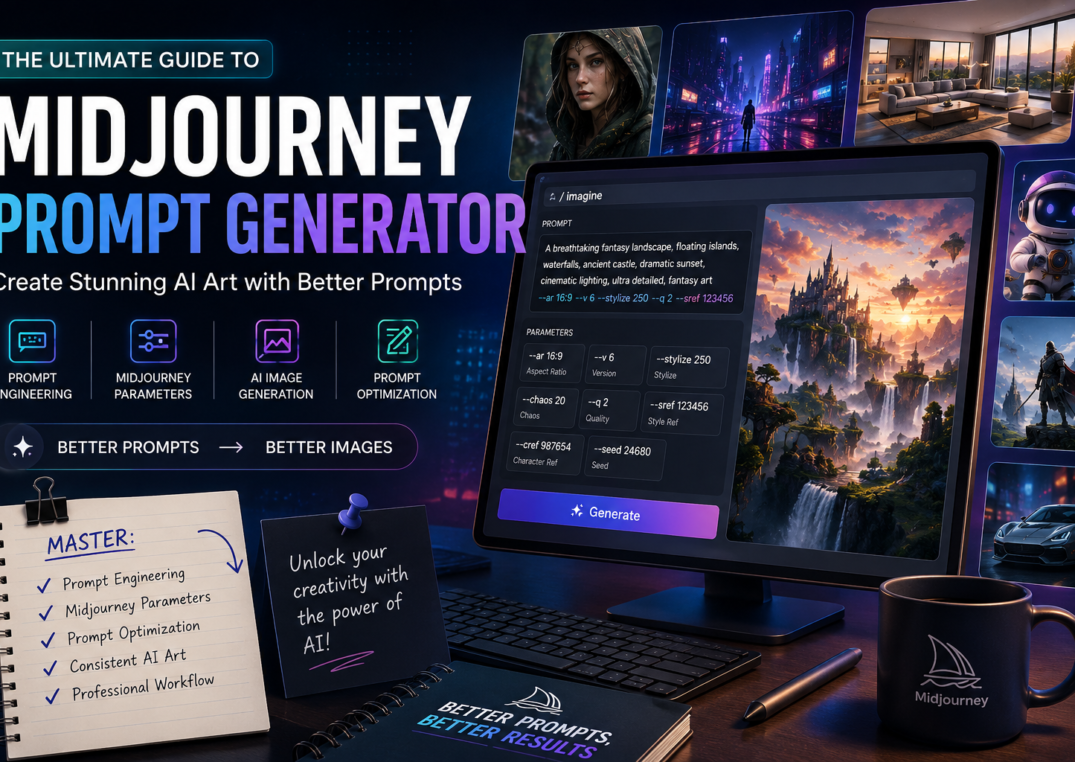
Are you looking for Midjourney Prompt Generator: Complete Guide to Better AI Image Prompts ?
Learn how a Midjourney Prompt Generator works, master prompt engineering, Midjourney parameters, prompt optimization, and create stunning AI-generated images with expert techniques and real-world examples.
Artificial intelligence has transformed digital creativity in ways that seemed impossible just a few years ago. Today, anyone with a creative idea can produce breathtaking artwork, realistic product mockups, fantasy landscapes, cinematic scenes, or marketing visuals in minutes. At the center of this revolution is the Midjourney prompt generator, a powerful solution that helps creators write detailed prompts capable of producing exceptional AI-generated images.
Whether you’re a designer, marketer, entrepreneur, game developer, content creator, or someone simply exploring AI image generation, knowing how to communicate effectively with Midjourney is becoming an essential digital skill. Unlike traditional graphic design software, Midjourney doesn’t require years of design experience. Instead, it relies on carefully written text-to-image prompts that describe exactly what you want the AI to create.
However, writing prompts isn’t as easy as typing a simple sentence.
Many beginners quickly discover that vague instructions often result in inconsistent artwork. One prompt may generate a masterpiece, while another produces something completely different from what was imagined. That’s why learning prompt engineering has become one of the most valuable skills in modern AI creativity.
A well-crafted prompt can influence every aspect of an image, including:
- Subject details
- Artistic direction
- Lighting
- Colors
- Mood
- Camera perspective
- Rendering quality
- Overall composition
This is where an advanced AI prompt builder or image prompt generator becomes incredibly useful. Instead of guessing which words will produce better images, these tools organize your ideas into a structured prompt that Midjourney understands more effectively.
Think of it this way.
Imagine asking an artist to “draw a dog.”
You’ll probably receive a decent illustration.
Now imagine asking the same artist to create:
“A golden retriever puppy running through a lavender field during golden hour, cinematic lighting, shallow depth of field, ultra-realistic fur texture, soft pastel color palette, photographed with an 85mm lens.”
The second instruction gives the artist significantly more creative direction. Midjourney works in much the same way. The more descriptive and organized your instructions are, the better your results become.
Another reason prompt optimization has become so important is the increasing competition among AI artists. Millions of users now generate images every day for advertisements, book covers, YouTube thumbnails, architecture, product visualization, social media, concept design, and digital storytelling. The difference between average and extraordinary images often comes down to the quality of the prompt rather than the AI itself.
Today’s creators also rely on specialized techniques such as:
- Prompt refinement
- Prompt customization
- Prompt templates
- Image-to-prompt tools
- Reverse prompt generation
- Professional prompt libraries
These methods dramatically improve efficiency while maintaining style consistency across multiple projects.
For example, a game studio designing dozens of fantasy characters doesn’t want every image to look completely different. Likewise, an e-commerce business creating hundreds of product visuals needs a repeatable creative workflow that produces consistent branding. A Midjourney prompt generator helps achieve these goals by structuring prompts with reusable formats and proven prompt strategies.
Another major advantage is speed.
Instead of spending twenty minutes rewriting prompts, creators can generate polished instructions within seconds. This allows them to focus more on creativity rather than experimentation.
As AI continues to evolve, prompt writing is becoming less about random keywords and more about understanding visual communication. Every prompt contains multiple layers that work together:
- A clear subject description
- Desired artistic style
- Scene details
- Camera settings
- Environmental context
- Rendering preferences
- Technical parameters
When these components are thoughtfully combined, Midjourney can create artwork that rivals professional digital illustrations or even high-end photography.
Throughout this guide, you’ll learn not only how a Midjourney prompt generator works but also how professional creators build prompts that consistently produce impressive results. We’ll explore the structure of effective prompts, essential Midjourney settings, optimization strategies, and practical examples that you can immediately apply to your own projects.
Whether your goal is creating photorealistic portraits, fantasy environments, cinematic scenes, product advertisements, architectural concepts, or digital illustrations, mastering prompt writing will significantly improve your creative results.
Let’s begin by understanding exactly what a Midjourney Prompt Generator is and why it has become an indispensable tool for modern AI artists.
What Is a Midjourney Prompt Generator?
A Midjourney prompt generator is a specialized tool designed to help users create detailed, structured, and optimized prompts for Midjourney. Instead of manually experimenting with different wording, the generator organizes important visual elements into a prompt that the AI can interpret more effectively.
Think of it as a creative assistant rather than an automatic image creator.
While Midjourney generates the artwork, the prompt generator focuses on improving the instructions that guide the AI.
Most professional prompt generators include customizable fields for:
- Subject
- Environment
- Lighting
- Camera angle
- Style
- Colors
- Rendering quality
- Technical parameters
By combining these inputs intelligently, the generator produces prompts that are significantly more descriptive than a simple sentence.
For example, instead of writing:
“A futuristic city”
A prompt generator may produce something like:
“A futuristic cyberpunk metropolis at night with towering neon skyscrapers, cinematic lighting, reflective rain-soaked streets, holographic advertisements, dynamic composition, dramatic perspective, ultra-detailed architecture, volumetric fog, hyperrealistic rendering.”
The difference is immediately noticeable.
The second prompt communicates richer visual information, giving Midjourney a much stronger creative direction.
Why Prompt Generators Are Becoming Essential
As AI art becomes increasingly sophisticated, prompt complexity has also grown.
Modern prompts often include:
- Technical rendering instructions
- Lighting preferences
- Camera settings
- Art movements
- Mood descriptors
- Scene composition
- Midjourney-specific parameters
Remembering every element manually can be overwhelming, especially for beginners.
A prompt generator simplifies this process by organizing information into logical sections while reducing common mistakes.
Instead of relying on trial and error, creators can follow a repeatable workflow that consistently produces high-quality outputs.
This structured approach benefits a wide range of professionals, including:
- Graphic designers
- Marketing agencies
- Social media managers
- Game developers
- Architects
- Product designers
- Filmmakers
- Authors
- E-commerce brands
Why Prompt Engineering Matters in Midjourney
One of the biggest misconceptions about AI art is that better software automatically creates better images.
In reality, the quality of your artwork depends largely on your ability to communicate with the AI.
This is where prompt engineering becomes invaluable.
Prompt engineering is the practice of designing prompts that guide artificial intelligence toward producing accurate, visually compelling, and consistent results.
Rather than relying on random adjectives, experienced users build prompts using a logical prompt structure that includes every important visual component.
An effective Midjourney prompt typically answers questions such as:
- What is the main subject?
- What style should it follow?
- Where is the scene located?
- What is the lighting?
- What mood should viewers experience?
- Which camera perspective works best?
- Which rendering quality is desired?
- Which technical settings should be applied?
Each answer provides another layer of context.
As these layers accumulate, Midjourney gains a deeper understanding of your creative vision.
The Role of Detailed Scene Descriptions
A detailed scene description dramatically improves image quality because it reduces ambiguity.
Consider these two prompts.
Prompt A
A wizard.
Prompt B
An elderly wizard standing atop ancient mountain ruins during sunrise, flowing silver robes, glowing crystal staff, swirling magical energy, dramatic clouds, cinematic lighting, fantasy art, highly detailed environment.
The second prompt establishes:
- Character appearance
- Location
- Time of day
- Atmosphere
- Artistic direction
- Visual storytelling
- Environmental context
As a result, Midjourney has far more information to generate an image that closely matches the creator’s intent.
Professional creators often spend more time refining prompts than generating images because they understand that better instructions lead to better outputs.
Understanding the Anatomy of a High-Quality Midjourney Prompt
By now, you’ve learned why a Midjourney prompt generator is far more than a simple keyword tool. It acts as an intelligent assistant that organizes ideas into a format the AI can understand. But what separates an average prompt from one that consistently produces breathtaking results?
The answer lies in understanding prompt anatomy.
Professional AI artists rarely type random descriptions. Instead, they follow a logical framework that combines creative direction with technical instructions. Every element plays a specific role in influencing the final image.
Think of a prompt as a blueprint. The more detailed and organized the blueprint, the more accurately Midjourney can translate your vision into artwork.
A well-written prompt generally includes the following components:
- Subject
- Environment
- Artistic style
- Camera details
- Lighting
- Composition
- Color palette
- Mood
- Rendering quality
- Midjourney parameters
When all these pieces work together, the result is a polished image that feels intentional rather than random.
1. Start with a Clear Subject Description
Every great image begins with a strong subject description.
This tells Midjourney exactly what should be the primary focus of the artwork.
Instead of writing:
Woman
Try something more descriptive:
A confident female astronaut exploring an abandoned alien temple
Notice how the second example immediately gives the AI more context.
Professional creators often include details such as:
- Age
- Clothing
- Expression
- Pose
- Occupation
- Objects being held
- Facial features
- Accessories
For example:
Elderly Viking king wearing engraved armor, holding an ancient battle axe, long braided white beard, intense blue eyes
This level of detail significantly improves AI image generation because the AI doesn’t need to guess what you want.
2. Define the Background Environment
After describing the main subject, the next step is defining the background environment.
Where is the subject located?
The environment influences storytelling more than many beginners realize.
Examples include:
- Ancient forest
- Futuristic cyberpunk city
- Medieval castle
- Japanese temple
- Luxury apartment
- Desert canyon
- Space station
- Underwater kingdom
Compare these prompts:
Prompt 1
Samurai warrior
Prompt 2
Samurai warrior standing beneath blooming cherry blossom trees outside an ancient Japanese shrine during sunrise
The second prompt immediately feels richer because it establishes location, season, and atmosphere.
Environment also enhances visual storytelling, making viewers emotionally connect with the image.
3. Choose the Right Artistic Style
One of Midjourney’s greatest strengths is its ability to emulate different artistic approaches.
Selecting an artistic style dramatically changes the final result.
Popular styles include:
- Oil painting
- Watercolor
- Anime
- Pencil sketch
- 3D rendering
- Low poly
- Isometric illustration
- Pop art
- Vintage poster
- Comic art
Creators working on game development often prefer concept art, while publishers may choose digital illustration for book covers.
Fantasy enthusiasts frequently select fantasy art, whereas commercial photographers usually prefer a photorealistic style.
The chosen style should always match the intended purpose.
For instance:
A fantasy novel cover benefits from magical lighting and painterly textures.
A furniture advertisement requires clean, realistic visuals.
A fashion campaign may prioritize editorial photography.
The more specific your style selection becomes, the easier it is to achieve style consistency across multiple projects.
4. Control the Composition
Professional photographers spend years mastering composition, and the same principle applies to AI-generated artwork.
Composition determines how visual elements are arranged.
Popular composition techniques include:
- Rule of thirds
- Center framing
- Symmetrical balance
- Minimal composition
- Wide cinematic framing
- Leading lines
- Golden ratio
For example:
Instead of writing:
Mountain landscape
Try:
Epic mountain landscape with centered composition, leading river guiding the viewer’s eye toward snow-covered peaks
The result feels far more cinematic.
Strong image composition naturally directs the viewer’s attention toward the subject.
5. Select the Best Camera Angle
Another overlooked element is the camera angle.
Changing perspective can completely transform the emotional impact of an image.
Popular camera angles include:
- Eye level
- Low angle
- High angle
- Bird’s-eye view
- Worm’s-eye view
- Over-the-shoulder
- Close-up
- Extreme close-up
- Wide shot
- Aerial shot
Imagine these two prompts.
Prompt A:
Knight
Prompt B:
Heroic knight viewed from a dramatic low-angle perspective standing before a burning castle
The second image immediately feels more powerful because perspective influences emotion.
Filmmakers often rely on camera angles to communicate authority, vulnerability, mystery, or excitement.
Midjourney can replicate these same cinematic techniques remarkably well.
6. Master Lighting Effects
Lighting defines the personality of an image.
Without proper lighting effects, even an excellent prompt can produce flat visuals.
Some popular lighting styles include:
- Soft morning light
- Golden hour
- Studio lighting
- Moonlight
- Neon lighting
- Volumetric lighting
- Rim lighting
- Backlighting
- Ambient lighting
One of the most requested techniques is cinematic lighting, which creates dramatic shadows and realistic highlights.
Consider the difference.
Basic prompt:
Man in a forest
Improved prompt:
Explorer walking through an enchanted forest illuminated by cinematic lighting, volumetric sun rays, soft mist, glowing fireflies
The improved version creates a much stronger emotional experience.
Lighting doesn’t simply brighten an image.
It tells a story.
7. Build the Perfect Color Palette
Colors influence emotion more than almost any other visual element.
Choosing a cohesive color palette gives artwork a professional appearance.
Examples include:
Warm palette
- Orange
- Gold
- Red
- Brown
Cool palette
- Blue
- Cyan
- Purple
- Silver
Fantasy palette
- Emerald
- Sapphire
- Violet
- Magenta
Luxury palette
- Black
- Gold
- White
- Marble
Many professional brands even maintain the same color palette across hundreds of AI-generated images to reinforce visual identity.
8. Create Mood and Atmosphere
Excellent artwork doesn’t simply show objects.
It communicates emotion.
Adding mood and atmosphere helps viewers feel something.
Examples include:
- Peaceful
- Mysterious
- Hopeful
- Melancholic
- Dark
- Dreamlike
- Romantic
- Epic
- Joyful
- Tense
Instead of saying:
Castle
Describe the emotional experience.
Ancient castle surrounded by drifting fog beneath a stormy sky creating a mysterious atmosphere
Notice how emotion transforms the image into a story.
9. Add Depth of Field
Professional photographers often blur backgrounds to emphasize the subject.
Midjourney can simulate this effect through depth of field.
This creates:
- Strong subject separation
- Realistic photography
- Better focus
- Premium-looking portraits
Portrait photographers frequently combine:
- 85mm lens
- Shallow depth of field
- Soft background blur
These simple additions immediately produce more realistic images.
10. Improve Quality Through Prompt Refinement
Rarely does the first prompt produce perfection.
Professionals continuously practice prompt refinement.
Rather than rewriting everything, they gradually improve specific elements.
For example:
Version 1
Modern luxury living room
Version 2
Modern luxury living room with Scandinavian furniture
Version 3
Modern Scandinavian luxury living room featuring oak furniture, marble flooring, panoramic windows, warm natural lighting, minimalist interior
Version 4
Modern Scandinavian luxury living room featuring oak furniture, marble flooring, panoramic windows, cinematic lighting, balanced composition, warm beige palette, photorealistic rendering
Each revision improves the final result.
This iterative process is one of the most important aspects of prompt optimization.
Midjourney Parameters Every Creator Should Know
Writing descriptive prompts is only half the equation.
Professional creators also understand how Midjourney parameters influence the final output.
Parameters are special commands added at the end of a prompt.
They allow you to control image dimensions, creativity, realism, consistency, rendering quality, and artistic interpretation.
When used correctly, these settings dramatically improve results.
Let’s explore the most important ones.
Aspect Ratio (--ar)
The Aspect ratio (--ar) determines the shape of the generated image.
Examples include:
--ar 1:1
Perfect for:
- Instagram posts
- Product images
- Profile pictures
--ar 16:9
Ideal for:
- YouTube thumbnails
- Website banners
- Presentation covers
--ar 9:16
Best suited for:
- Instagram Stories
- TikTok
- Reels
- Shorts
Selecting the correct aspect ratio before generating saves valuable editing time later.
Midjourney Version (--v)
The Midjourney version (--v) specifies which rendering model should interpret your prompt.
Example:
--v 7
Newer versions generally offer:
- Better realism
- Improved anatomy
- Higher detail
- Better prompt understanding
- More accurate lighting
Keeping up with newer versions ensures access to the latest improvements in AI art generation.
Stylize Parameter (--stylize or --s)
The Stylize parameter (--stylize) controls how artistic Midjourney becomes.
Lower stylize values:
- Follow prompts more literally
- Produce cleaner commercial images
Higher stylize values:
- Add artistic interpretation
- Increase creative flair
- Produce imaginative visuals
Designers often experiment with multiple stylize values before selecting the best result.
Chaos Parameter (--chaos)
The Chaos parameter (--chaos) controls variation.
Low chaos:
- Predictable results
- Consistent outputs
High chaos:
- Unexpected creativity
- Experimental concepts
- Diverse image variations
Creative directors often increase chaos during brainstorming sessions to discover unique visual ideas.
Quality Parameter (--q)
The Quality parameter (--q) affects rendering effort.
Higher values generally create:
- Better details
- Sharper textures
- More polished images
However, they may also require additional generation time depending on the current Midjourney model.
Professional users adjust quality depending on whether they are creating rough drafts or final artwork.
Advanced Midjourney Parameters and Prompt Optimization Techniques
After mastering the basic structure of a prompt and understanding the core Midjourney parameters, it’s time to explore the advanced settings that separate casual users from professional AI artists. These parameters provide greater control over consistency, creativity, and image quality, making them essential for anyone who wants to produce production-ready visuals.
Whether you’re designing marketing campaigns, developing game assets, illustrating books, or building a personal AI art portfolio, these advanced features will help you achieve more predictable and impressive results.
Style Reference (--sref): Maintain Visual Identity
One of the biggest challenges in AI image generation is maintaining a consistent look across multiple images. If you’ve ever created a series of illustrations, brand assets, or storyboards, you’ve probably noticed that each generated image can vary in style—even when using similar prompts.
The Style Reference (--sref) parameter solves this problem by allowing Midjourney to reference the visual style of another image.
Instead of repeatedly describing the same aesthetic, you can reference a previously generated image and ask Midjourney to apply its style to new subjects.
Why Use Style References?
A consistent artistic identity is essential for:
- Brand marketing campaigns
- Children’s book illustrations
- Graphic novels
- Comic series
- Product advertisements
- Website illustrations
- Game environments
- Character collections
For example, imagine you’ve created a beautiful watercolor landscape and now want to generate a castle, village, forest, and mountain range in exactly the same artistic style.
Instead of rewriting the prompt repeatedly, you can use:
--sref [image reference]
This helps preserve:
- Brush textures
- Color harmony
- Artistic rendering
- Visual aesthetics
- Overall design language
For creative agencies and businesses, this feature saves significant time while ensuring style consistency across an entire project.
Character Reference (--cref): Keep Characters Consistent
Creating recurring characters is one of the most difficult tasks in AI art. Without guidance, Midjourney may generate different facial features, hairstyles, or clothing every time.
The Character Reference (--cref) parameter helps maintain character identity across multiple images.
This is particularly useful for:
- Children’s storybooks
- Manga
- Comics
- Animation concepts
- Brand mascots
- YouTube thumbnails
- Video game characters
Imagine you’re creating a fantasy heroine for a novel.
Without --cref, every prompt may produce a different person.
With Character Reference (--cref), Midjourney attempts to preserve:
- Facial structure
- Hair color
- Outfit
- Accessories
- Character proportions
- Overall identity
This allows creators to tell cohesive visual stories without redesigning the same character repeatedly.
Image Weight (--iw): Balance Images and Text
Sometimes, you want Midjourney to prioritize an input image over your written instructions.
That’s where Image Weight (--iw) becomes useful.
The Image Weight (--iw) parameter determines how much influence a reference image should have compared to the written prompt.
For example:
- Low image weight gives more importance to your text.
- High image weight makes Midjourney follow the visual reference more closely.
This feature is particularly valuable for:
- Product redesigns
- Fashion concepts
- Architecture
- Interior design
- Packaging mockups
- Logo inspiration
Professionals often experiment with different values to find the perfect balance between creativity and consistency.
Seed Parameter (--seed): Reproduce Similar Results
One of Midjourney’s strengths is its creativity—but sometimes you don’t want completely random results.
The Seed parameter (--seed) provides a solution.
Every generated image is based on a random seed number. By reusing the same seed, you can create images that maintain a similar composition while changing only certain details.
For example, if you’ve generated an excellent portrait but want to experiment with different clothing or backgrounds, using the same seed helps preserve the overall structure.
This is especially useful for:
- Marketing campaigns
- Product photography
- Character design
- Social media content
- Educational materials
Design teams often use seed values to generate multiple variations while maintaining visual continuity.
Negative Prompts: Tell Midjourney What to Avoid
Many beginners focus only on describing what they want.
Professionals also specify what they don’t want.
This is where Negative prompts become incredibly valuable.
Negative prompts help eliminate unwanted elements from the final image.
Examples include excluding:
- Extra limbs
- Blurry faces
- Low quality
- Watermarks
- Text overlays
- Distorted anatomy
- Noise
- Duplicate objects
- Oversaturated colors
For instance, if you’re generating a professional business portrait, you may want to avoid cartoon-like features or exaggerated facial expressions.
Adding negative instructions significantly improves output quality and reduces unnecessary regeneration.
Prompt Optimization: The Secret Behind Better AI Images
Writing a prompt once is rarely enough.
Experienced creators continuously improve their prompts through prompt optimization.
Prompt optimization is the process of refining wording, structure, and technical settings until the generated image closely matches your creative vision.
Instead of treating prompts as one-time instructions, think of them as evolving drafts.
For example:
First Draft
Luxury bedroom
Improved Prompt
Modern luxury bedroom featuring walnut furniture, marble flooring, panoramic windows, warm ambient lighting, minimalist Scandinavian interior
Optimized Prompt
Elegant Scandinavian luxury bedroom with premium walnut furniture, white marble flooring, panoramic floor-to-ceiling windows, cinematic lighting, soft beige color palette, balanced composition, photorealistic rendering, ultra-detailed interior design
Each refinement provides Midjourney with more useful visual information.
Prompt Customization for Different Industries
Every industry requires different prompting techniques. A generic prompt may work for experimentation, but professional workflows benefit from prompt customization based on the intended use.
Marketing & Advertising
Marketing visuals should emphasize:
- Clean composition
- Premium lighting
- Strong branding
- High-resolution rendering
- Product focus
E-commerce
Product images require:
- White backgrounds
- Accurate colors
- Realistic textures
- Studio lighting
- Minimal distractions
Architecture
Architectural prompts often include:
- Exterior materials
- Landscaping
- Natural lighting
- Environmental context
- Wide-angle perspective
Gaming
Game artists typically prioritize:
- Epic environments
- Detailed characters
- Dynamic action
- Fantasy art
- Concept art
Publishing
Book cover designers usually focus on:
- Emotional storytelling
- Cinematic composition
- Character design
- Mood and atmosphere
- Dramatic lighting
Customizing prompts according to industry requirements results in significantly better images.
Using Prompt Templates to Save Time
Professionals rarely start every prompt from scratch.
Instead, they rely on reusable prompt templates.
A typical template might follow this structure:
Subject + Environment + Artistic Style + Lighting + Composition + Camera Angle + Color Palette + Mood + Midjourney Parameters
Example:
Subject → Female explorer
Environment → Ancient jungle temple
Style → Photorealistic
Lighting → Golden hour
Camera → Wide cinematic shot
Mood → Adventurous
Parameters →
--ar 16:9 --stylize 250 --q 2
By changing only a few variables, you can generate dozens of high-quality variations in minutes.
Image-to-Prompt: Learn from Existing Images
Sometimes you discover an AI-generated image and wonder:
“How was this prompt written?”
That’s where Image-to-prompt tools become valuable.
These tools analyze an existing image and generate a detailed prompt describing:
- Subject
- Composition
- Lighting
- Camera angle
- Colors
- Style
- Environment
Instead of guessing, creators can study successful prompts and learn how professionals structure their instructions.
This accelerates learning while improving prompt-writing skills.
Reverse Prompt Generation
Closely related to image analysis is Reverse prompt generation.
Rather than generating images from prompts, reverse prompting attempts to reconstruct the prompt from an existing image.
This technology is useful for:
- Recreating artwork
- Learning prompt engineering
- Understanding composition
- Studying artistic techniques
- Improving prompt refinement
Many creators use reverse prompting to build libraries of successful prompts that can later be customized for new projects.
Building an Efficient Creative Workflow
Professional AI artists don’t rely on random experimentation. They develop a repeatable creative workflow that combines creativity with efficiency.
A typical workflow looks like this:
- Define the project goal.
- Choose the main subject.
- Select the environment.
- Decide on the artistic style.
- Apply lighting and composition.
- Add camera details.
- Customize Midjourney parameters.
- Generate multiple variations.
- Compare results.
- Refine prompts based on feedback.
- Save successful prompt templates for future use.
Following a structured workflow reduces guesswork and increases productivity.
High-Resolution Rendering for Professional Results
Whether you’re designing social media graphics, posters, book covers, or website banners, image quality matters.
Professional creators prioritize high-resolution rendering because it ensures:
- Sharper details
- Cleaner textures
- Better print quality
- Professional presentation
- Improved client satisfaction
Combining descriptive prompts with appropriate quality settings helps generate artwork suitable for both digital and print applications.
The Future of AI Prompt Builders
As artificial intelligence continues to evolve, modern AI prompt builder platforms are becoming increasingly intelligent. Instead of requiring users to memorize dozens of commands, these tools automatically suggest better wording, optimize Midjourney syntax, recommend appropriate image generation parameters, and even generate multiple prompt variations for different creative goals.
Future prompt generators are expected to integrate with design software, offer personalized prompt recommendations, and leverage AI-powered assistants that understand user preferences. This will make creating professional-quality visuals faster, more accessible, and more consistent than ever before.
By mastering advanced parameters, refining prompts systematically, and adopting a structured workflow, you’ll be well on your way to producing exceptional AI artwork that stands out—whether you’re creating marketing assets, concept art, digital illustrations, or cinematic visuals.
Practical Midjourney Prompt Examples for Every Creative Project
Now that you understand prompt structure, advanced settings, and optimization techniques, it’s time to put everything into practice. The best way to master a Midjourney prompt generator is by creating prompts for real-world projects.
Whether you’re designing marketing campaigns, illustrating a novel, producing YouTube thumbnails, or building game assets, the principles remain the same: describe your vision clearly, organize the prompt logically, and use the appropriate image generation parameters to guide Midjourney.
The following examples demonstrate how professionals combine descriptive language with technical settings to produce consistent, high-quality artwork.
Example 1: Photorealistic Portrait
One of the most popular use cases for Midjourney is creating realistic portraits.
A successful photorealistic style prompt should include:
- Detailed subject description
- Natural facial features
- Camera angle
- Lens choice
- Lighting
- Color palette
- Background
- Depth of field
Example Prompt
A confident young entrepreneur standing in a modern office wearing a navy-blue suit, natural smile, cinematic lighting, realistic skin texture, shallow depth of field, soft golden-hour sunlight through large windows, professional portrait photography, ultra-detailed, premium color grading, balanced composition --ar 4:5 --stylize 150 --q 2
This prompt combines artistic direction with technical precision, resulting in a highly realistic business portrait suitable for websites, LinkedIn profiles, or promotional materials.
Example 2: Fantasy Art
Fantasy scenes thrive on imagination and atmosphere.
A compelling fantasy art prompt should include:
- Magical environments
- Dramatic lighting
- Epic architecture
- Rich visual storytelling
- Atmospheric details
Example Prompt
Ancient floating kingdom surrounded by waterfalls and glowing crystals, majestic castle built on floating islands, mystical dragons flying across the sky, cinematic lighting, magical fog, enchanted forests, dramatic clouds, fantasy art, ultra-detailed environment, volumetric lighting --ar 16:9 --stylize 400 --chaos 20
Notice how every sentence contributes to the overall scene rather than repeating similar adjectives.
Example 3: Concept Art
Professional studios frequently use Midjourney for concept art during early production.
Instead of aiming for polished marketing visuals, concept art explores ideas.
Example uses include:
- Game environments
- Sci-fi vehicles
- Character exploration
- Weapons
- Buildings
- Alien civilizations
Example Prompt
Massive futuristic research facility located on a frozen alien planet, towering glass domes, robotic construction units, snowstorms, cinematic atmosphere, detailed industrial architecture, concept art, environmental storytelling, dramatic perspective --ar 21:9 --stylize 300
Concept artists often generate dozens of variations before selecting one direction for further refinement.
Example 4: Character Design
Creating memorable characters requires more than appearance.
Professional character design also considers personality, clothing, accessories, and storytelling.
Example Prompt
Young female treasure hunter wearing leather explorer clothing, ancient compass around her neck, confident expression, shoulder-length brown hair, practical backpack, adventurous personality, cinematic portrait, soft rim lighting, photorealistic rendering --cref [reference] --ar 2:3
If you’re creating multiple illustrations featuring the same protagonist, combining this prompt with Character Reference (--cref) helps maintain consistency.
Example 5: Environment Design
Game developers and architects frequently generate landscapes before beginning production.
Strong environment design focuses on scale, atmosphere, and storytelling.
Example Prompt
Post-apocalyptic city reclaimed by nature, abandoned skyscrapers covered in vines, flooded streets reflecting sunset light, cinematic atmosphere, realistic vegetation, dramatic sky, environmental storytelling, hyper-detailed environment --ar 16:9
This type of prompt creates immersive scenes suitable for films, games, or book illustrations.
Achieving Hyperrealism
One of the fastest-growing trends in AI-generated artwork is hyperrealism.
Hyperrealistic images resemble professional photography while preserving artistic creativity.
To improve realism, include:
- Realistic skin textures
- Natural shadows
- Accurate reflections
- Detailed materials
- Camera lens information
- Depth of field
- High-resolution rendering
Instead of simply writing:
Beautiful woman
Describe the image like a professional photographer would:
Fashion model photographed using an 85mm portrait lens, realistic freckles, cinematic lighting, natural makeup, shallow depth of field, luxury editorial photography, highly detailed facial textures
These additions dramatically increase realism.
Visual Storytelling Through Better Prompts
Great artwork tells a story.
This is where visual storytelling becomes essential.
Instead of focusing only on appearance, think about the moment happening inside the image.
Ask yourself:
- What happened before this scene?
- What is happening now?
- What happens next?
For example:
Rather than writing:
Knight
Describe:
Exhausted knight returning home after a victorious battle while villagers celebrate beneath golden sunset skies
Immediately, viewers imagine a larger story.
Professional illustrators use this technique to create emotionally engaging artwork.
Best Practices for AI Art Generation
Although Midjourney is incredibly powerful, following a few best practices can dramatically improve your success rate.
1. Be Specific
Instead of:
Forest
Try:
Ancient moss-covered forest illuminated by morning sunlight filtering through towering pine trees
Specificity reduces ambiguity.
2. Avoid Keyword Overload
Adding too many unrelated adjectives can confuse Midjourney.
Instead of writing twenty disconnected descriptors, organize your prompt naturally.
Quality always beats quantity.
3. Experiment with Multiple Versions
Rarely does the first image become the final masterpiece.
Generate several variations using different:
- Stylize values
- Camera angles
- Color palettes
- Lighting conditions
- Aspect ratios
Professional creators compare multiple outputs before selecting the strongest one.
4. Save Successful Prompts
Every excellent prompt becomes a valuable asset.
Maintain a personal library organized by:
- Portraits
- Architecture
- Fantasy
- Product Photography
- Social Media
- Marketing
- Nature
- Characters
Over time, this library becomes an incredibly powerful creative resource.
5. Continue Learning Prompt Engineering
Like photography or graphic design, prompt engineering improves with practice.
Study successful prompts.
Analyze why they work.
Experiment with different combinations.
Refine your wording continuously.
Small improvements often produce dramatically better images.
FAQ
Is a Midjourney Prompt Generator better than writing prompts manually?
A Midjourney prompt generator provides a structured starting point, making it easier to create descriptive prompts quickly. However, experienced users often customize the generated prompts further to match specific creative goals.
Can beginners use Midjourney effectively?
Absolutely. Beginners can achieve impressive results by using prompt generators, learning basic Midjourney syntax, and experimenting with simple prompts before moving to advanced parameters.
What industries benefit from AI image generation?
Many industries now use AI art generation, including:
- Marketing
- Advertising
- Publishing
- Gaming
- Architecture
- Fashion
- Product Design
- Education
- Social Media
- Film Production
Why do my Midjourney images look different each time?
Midjourney introduces randomness into image creation. Using parameters such as the Seed parameter (--seed), Style Reference (--sref), and Character Reference (--cref) can help improve consistency across multiple generations.
Should I always use every Midjourney parameter?
No. Choose parameters based on your project. Simple prompts often require only a few settings, while complex projects may benefit from additional controls such as Aspect ratio (--ar), Quality parameter (--q), or Chaos parameter (--chaos).
Conclusion
The rise of AI-powered creativity has fundamentally changed the way individuals and businesses approach visual content. A well-designed Midjourney prompt generator is no longer just a convenience—it’s an essential tool for anyone looking to create professional-quality AI artwork efficiently.
Throughout this guide, we’ve explored how prompt engineering, thoughtful prompt structure, and strategic prompt optimization can dramatically improve your results. From crafting compelling text-to-image prompts and selecting the right artistic style to mastering Midjourney parameters like Aspect ratio (--ar), Stylize (--stylize), Quality (--q), Chaos (--chaos), Style Reference (--sref), Character Reference (--cref), Image Weight (--iw), and the Seed parameter (--seed), every element contributes to producing more consistent and visually stunning images.
We also covered advanced techniques such as negative prompts, image-to-prompt analysis, reverse prompt generation, prompt customization, and reusable prompt templates, all of which help streamline your creative workflow. Whether your goal is creating photorealistic style portraits, immersive hyperrealism, captivating fantasy art, professional concept art, expressive character design, or detailed environment design, the key is to combine clear descriptions with deliberate technical settings.
Remember that creating exceptional AI art is an iterative process. Continue refining your prompts, experiment with different styles and parameters, and build your own prompt library over time. As your skills grow, you’ll find that Midjourney becomes more than just an image generator—it becomes a collaborative AI creative assistant capable of turning your ideas into compelling visual experiences.
Start experimenting today, refine your prompts with every project, and unlock the full creative potential of Midjourney. The more intentionally you write your prompts, the more extraordinary your AI-generated artwork will become.
Click Here To Use: Midjourney Prompt Generator