

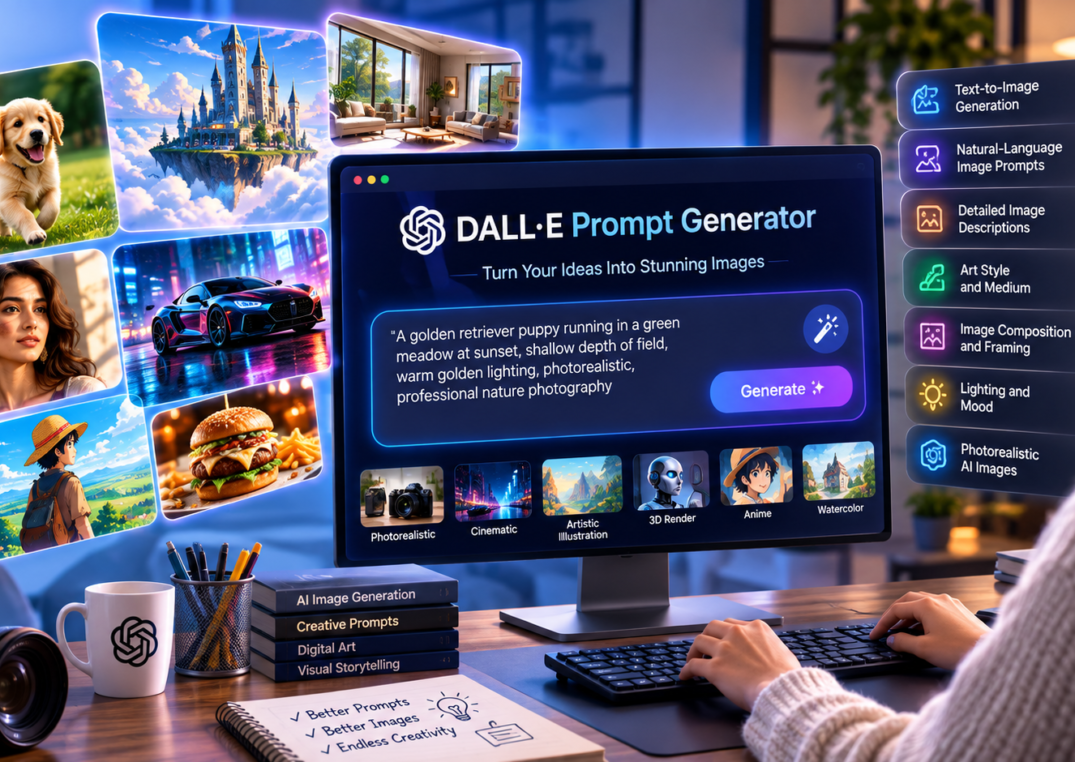
DALL·E Prompt Generator: Create Better AI Images With Powerful Prompts
Creating an impressive AI-generated image is no longer limited to professional designers, photographers, or people with years of experience using Photoshop. With modern AI image-generation technology, anyone can describe an idea in simple words and turn that idea into a visual. However, there is one important challenge: how you describe the image can significantly affect the quality of the final result.
This is where a DALL·E Prompt Generator becomes useful.
A DALL·E Prompt Generator helps transform a basic idea into a more detailed and visually descriptive prompt that an AI image-generation system can understand. Instead of writing something simple such as “a man standing in a city,” you can create a much more specific instruction describing the subject, environment, camera perspective, colors, lighting, atmosphere, composition, artistic style, and other visual elements.
For example, a basic prompt might produce an ordinary image of a person in a city. A more developed prompt could describe a young professional standing on a modern Tokyo street at night, surrounded by illuminated skyscrapers, cinematic reflections on wet pavement, soft neon lighting, realistic skin texture, shallow depth of field, and a premium editorial photography style.
The difference comes from the quality and specificity of the prompt.
Modern text-to-image generation systems have made visual content creation faster and more accessible. They can be used for marketing campaigns, social media posts, blog illustrations, product concepts, advertising creatives, educational materials, presentations, website graphics, and creative experimentation.
In this guide, we will explore how a DALL·E Prompt Generator works, what makes an effective prompt, which elements should be included, and how you can create better prompts for professional-looking AI images.
Use Now : DALL·E Prompt Generator
What Is a DALL·E Prompt Generator ?
A DALL·E Prompt Generator is a tool or prompt-building system designed to help users create detailed instructions for AI image generation.
Instead of requiring users to understand complex prompt-writing techniques, these tools can take a simple concept and expand it into a structured visual description.
For example:
Simple idea:
A luxury car in a city.
Expanded prompt:
A premium black sports car parked on a sophisticated downtown street at night, surrounded by modern glass buildings and subtle architectural lighting, glossy reflective bodywork, cinematic atmosphere, low-angle three-quarter perspective, dramatic rim lighting, realistic materials, shallow depth of field, premium automotive advertising photography, ultra-detailed and photorealistic.
The second version provides considerably more information about what the desired image should look like.
A good generator can help organize these instructions around several important components, including:
- Subject
- Environment
- Visual style
- Art style and medium
- Image composition and framing
- Lighting and mood
- Camera perspective
- Color palette
- Background
- Materials and textures
- Level of realism
- Image purpose
This makes the process easier for beginners while also helping experienced creators brainstorm different visual directions.
Why Are Detailed Prompts Important?
AI image generation works from the information contained in the prompt. Although modern systems can understand natural language, vague instructions can leave many visual decisions open to interpretation.
Consider the difference between:
A beautiful coffee shop.
and:
A cozy modern coffee shop in South Delhi with warm wooden interiors, large floor-to-ceiling windows, indoor plants, handcrafted furniture, soft pendant lighting, customers working on laptops, realistic architectural details, warm neutral colors, editorial interior photography, natural shadows, and a welcoming premium atmosphere.
The second prompt gives the AI significantly more visual context.
This is why natural-language image prompts are particularly valuable. You do not necessarily need to learn complicated technical syntax. You need to communicate your visual idea clearly.
How Does a DALL·E Prompt Generator Work?
A typical DALL·E Prompt Generator takes a basic concept and expands it into a more comprehensive image description.
The process can be understood in four simple stages.
1. Start With the Core Idea
First, identify what you want to create.
For example:
- A product photograph
- A futuristic city
- A children’s illustration
- A professional portrait
- A restaurant interior
- A social media advertisement
- A fashion photograph
- A fantasy landscape
- A technology concept
Your starting idea does not have to be detailed.
For example:
A black running shoe.
This is enough to begin.
2. Add Visual Details
The next step is to explain what the object should look like.
For the running shoe, you could describe:
A modern black lightweight running shoe with breathable mesh fabric, subtle synthetic overlays, cushioned EVA midsole, textured rubber outsole, padded collar, and contemporary lace-up design.
Now the AI has a clearer understanding of the product.
3. Define the Environment and Composition
Next, explain where the object should appear and how it should be presented.
For example:
Place the running shoe in a premium studio environment on a clean reflective surface, photographed from a three-quarter angle with one shoe positioned slightly forward and the second shoe naturally behind it.
This introduces image composition and framing.
Composition matters because the same object can look completely different depending on its position, perspective, camera angle, and surrounding space.
4. Add Lighting, Style, and Mood
Finally, describe the visual treatment.
For example:
Use soft studio lighting, subtle shadows, a dark premium background, realistic material textures, high-end commercial product photography, and a clean sophisticated mood.
Now the prompt communicates not only what should appear but also how it should look.
This structured approach is one of the biggest advantages of using a prompt generator.
Key Elements of a High-Quality DALL·E Prompt
A strong prompt usually contains multiple layers of visual information. You do not need to include every possible detail in every prompt, but understanding these components can dramatically improve your results.
1. Subject and Main Object
Start with the most important element of the image.
For example:
A young Indian entrepreneur working in a modern office.
or:
A premium smartwatch displayed on a marble surface.
The subject should be clearly defined.
If you are creating commercial images, include relevant product characteristics such as:
- Shape
- Size
- Material
- Color
- Texture
- Design
- Features
- Position
A DALL·E Prompt Generator can help convert a short product description into a richer visual specification.
For example:
A minimalist silver smartwatch with a rectangular display, black silicone strap, slim metallic frame, and premium modern design.
This provides much more useful information than simply saying “a smartwatch.”
2. Detailed Image Descriptions
One of the most important parts of effective prompting is using detailed image descriptions.
A detailed description gives the AI additional visual context.
Instead of:
A modern office.
Try:
A spacious contemporary office with floor-to-ceiling glass windows, natural wooden flooring, minimalist desks, indoor plants, ergonomic chairs, warm neutral interiors, subtle architectural lighting, and a clean professional atmosphere.
Notice that the second description gives information about:
- Architecture
- Materials
- Furniture
- Lighting
- Colors
- Atmosphere
- Spatial arrangement
These details help create a more intentional visual result.
However, detailed does not mean unnecessarily complicated. Every detail should contribute to the image you want.
3. Art Style and Medium
Another important component is art style and medium.
Different artistic approaches can completely change the appearance of the same subject.
For example:
A mountain landscape.
could become:
- Watercolor painting
- Oil painting
- Digital concept art
- Pencil sketch
- Editorial illustration
- 3D render
- Cinematic photography
- Vintage poster
- Children’s book illustration
- Japanese-inspired ink artwork
You can specify the style directly.
For example:
A peaceful Himalayan landscape rendered as a detailed watercolor painting with soft pastel colors and delicate brush textures.
Or:
A futuristic Himalayan city presented as cinematic digital concept art with dramatic atmospheric perspective.
The subject remains similar, but the artistic treatment changes significantly.
When using a DALL·E Prompt Generator, specifying the intended artistic direction can help you experiment with different visual interpretations without rewriting the entire concept manually.
4. Image Composition and Framing
Image composition and framing determine how the viewer sees the subject.
This is especially important for advertising, product photography, portraits, and social media creatives.
Useful composition terms include:
- Close-up
- Medium shot
- Wide shot
- Full-body shot
- Three-quarter view
- Overhead view
- Eye-level perspective
- Low-angle perspective
- High-angle perspective
- Centered composition
- Symmetrical composition
- Rule-of-thirds composition
- Foreground-background separation
For example:
A luxury perfume bottle photographed in a centered composition with generous negative space around the product.
This is particularly useful for advertising because the empty space could later be used for headline text.
For a fashion image, you might use:
Full-body editorial fashion photograph with the model positioned slightly to the left of the frame, leaving negative space on the right.
The same model and outfit could produce very different results depending on framing.
5. Lighting and Mood
Lighting and mood are essential for controlling the emotional character of an image.
Compare these two prompts:
A restaurant interior with bright natural daylight and a fresh, energetic atmosphere.
versus:
A sophisticated restaurant interior illuminated by warm ambient lighting with deep shadows, intimate tables, candlelight, and a luxurious romantic atmosphere.
Both describe a restaurant, but the emotional impact is completely different.
Common lighting descriptions include:
- Soft natural light
- Golden-hour lighting
- Dramatic lighting
- Studio lighting
- Diffused lighting
- Backlighting
- Rim lighting
- Neon lighting
- Warm ambient lighting
- High-key lighting
- Low-key lighting
Mood can include:
- Calm
- Energetic
- Mysterious
- Luxurious
- Romantic
- Professional
- Playful
- Futuristic
- Nostalgic
- Cinematic
Combining lighting and mood makes prompts more expressive.
For example:
A futuristic city at night with blue and purple neon lighting, reflective wet streets, atmospheric fog, dramatic shadows, and a mysterious cinematic mood.
6. Photorealistic AI Images
For commercial use, realism is often important.
If you want photorealistic AI images, the prompt should communicate that the result should resemble professional photography rather than an illustration or cartoon.
You can use descriptive phrases such as:
- Photorealistic
- Realistic textures
- Natural skin detail
- Professional photography
- Realistic materials
- Natural shadows
- Real-world proportions
- Commercial photography
- Editorial photography
- High-detail photographic appearance
For example:
A photorealistic portrait of a young professional sitting in a modern office, natural skin texture, realistic hair, soft window lighting, subtle background blur, professional editorial photography, natural expression, and realistic proportions.
However, realism should be appropriate to the goal. If you are creating a fantasy illustration, children’s artwork, or conceptual design, a photorealistic approach may not be necessary.
7. Context and Environment
The environment provides additional storytelling information.
Instead of creating:
A woman wearing a red dress.
You could describe:
A confident woman wearing an elegant red evening dress standing inside a luxury hotel lobby with marble floors, modern chandeliers, large decorative plants, warm architectural lighting, and sophisticated surroundings.
Now the image has a setting and narrative.
Context can be especially useful for:
- Social media campaigns
- Lifestyle advertising
- Brand storytelling
- Website banners
- Blog illustrations
- Editorial content
- Travel content
- Fashion campaigns
A good DALL·E Prompt Generator can help expand a basic subject into a complete visual scenario.
How to Create Better Prompts With a DALL·E Prompt Generator
The easiest way to improve your results is to think like a creative director rather than simply entering random keywords.
Start with five questions:
What should appear?
Define the subject.
Where should it appear?
Define the environment.
What should it look like?
Define materials, colors, textures, and visual characteristics.
How should it be presented?
Define composition, framing, perspective, and camera style.
What should the viewer feel?
Define lighting, atmosphere, and mood.
For example, suppose you want an image for a digital marketing agency.
A basic request might be:
Digital marketing agency office.
A stronger prompt could be:
A modern digital marketing agency office in Delhi, featuring a diverse creative team working collaboratively around large desks with laptops and marketing dashboards displayed on wall-mounted screens, contemporary glass partitions, indoor plants, subtle blue accent lighting, clean professional interiors, energetic yet sophisticated atmosphere, wide-angle composition, realistic architectural details, natural window light, and premium corporate photography.
This prompt gives the AI a complete visual direction.
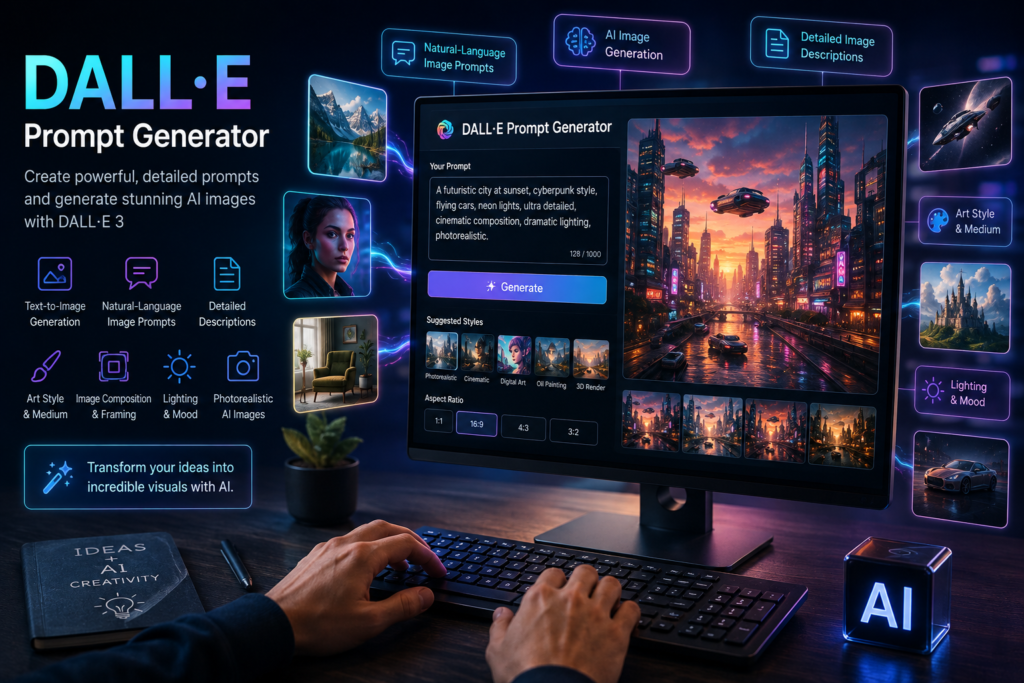
Real-World Uses of DALL·E Prompt Generators
A DALL·E Prompt Generator is not limited to casual experimentation. It can support a wide range of professional workflows.
Digital Marketing
Digital marketers constantly need fresh visual content.
AI-generated visuals can be useful for:
- Blog featured images
- Social media posts
- Advertising concepts
- Landing page graphics
- Campaign mockups
- Infographics
- Presentation visuals
- Content marketing
For example, a digital marketing agency could generate a conceptual image representing “AI transforming modern marketing.”
A prompt could describe:
A futuristic marketing command center where AI-powered analytics dashboards, social media campaigns, search engine graphs, and customer data visualizations surround a creative marketing team, modern technology environment, cinematic lighting, premium corporate visual style.
The image can then be adapted for different marketing assets.
E-Commerce
E-commerce businesses need product imagery constantly.
A prompt generator can help develop concepts for:
- Product hero images
- Lifestyle photography
- Seasonal campaigns
- Promotional banners
- Product concepts
- Social media advertisements
For example:
A premium black running shoe displayed on a minimalist urban running track at sunrise, soft golden light, realistic mesh texture, subtle atmospheric depth, dynamic three-quarter product composition, professional sports advertising photography.
This creates a much more specific visual direction than “running shoe advertisement.”
Social Media
Social platforms depend heavily on visual content.
Creators can use AI-generated images for:
- Instagram posts
- Pinterest graphics
- YouTube thumbnails
- LinkedIn creatives
- Facebook campaigns
- Short-form video concepts
A prompt generator can help create several visual variations from the same campaign concept.
Education
Teachers and educational creators can use AI images to explain abstract concepts.
For example:
A visually engaging illustration explaining the solar system, showing planets arranged around the sun with clear spatial relationships, educational infographic style, clean labels, bright but professional colors.
AI visuals can make educational content more engaging.
DALL·E Prompt Generator vs. Writing Prompts Manually
You may wonder whether you actually need a generator.
The answer depends on your experience and workflow.
If you are already comfortable writing detailed visual instructions, manual prompting can work very well.
However, beginners often struggle with questions such as:
- What details should I include?
- How should I describe the camera angle?
- Which lighting should I choose?
- How can I make the image look premium?
- How do I describe a particular artistic style?
- How can I create a realistic product photograph?
A generator provides a useful framework.
It can also help experienced creators when they need creative variations quickly.
For example, instead of manually writing ten different versions of a product concept, you can start with one idea and generate variations involving:
- Different environments
- Different lighting
- Different compositions
- Different artistic treatments
- Different moods
- Different perspectives
This can speed up creative experimentation.
Common Mistakes When Creating AI Image Prompts
Even with a DALL·E Prompt Generator, users can make mistakes that reduce the quality of their prompts.
Mistake 1: Being Too Vague
A prompt such as:
Nice modern house.
does not communicate enough information.
Try:
A contemporary luxury house with large glass windows, natural stone walls, landscaped gardens, minimalist architecture, warm exterior lighting, and a sophisticated evening atmosphere.
The second prompt creates a clearer creative direction.
Mistake 2: Adding Random Keywords
Some beginners believe that adding dozens of unrelated keywords will automatically improve the image.
It usually makes the prompt less coherent.
Instead, every detail should support the main visual concept.
Mistake 3: Ignoring Composition
Many users describe the subject but forget to explain how it should be presented.
For commercial visuals, composition can be just as important as the subject itself.
Mistake 4: Forgetting the Intended Audience
A children’s illustration, luxury advertisement, technology campaign, and editorial magazine cover should not have the same visual treatment.
Think about where the image will be used before writing the prompt.
Mistake 5: Trying to Control Everything
There is also an opposite problem: making the prompt unnecessarily restrictive.
AI image generation involves creative interpretation. A good prompt provides direction while leaving enough flexibility for the system to produce visually interesting results.
A Practical DALL·E Prompt Formula
A simple formula can make prompt writing much easier.
Use:
Subject + Details + Environment + Composition + Style + Lighting + Mood + Quality
For example:
Subject: Premium black running shoe
Details: Breathable mesh upper, cushioned sole, modern athletic design
Environment: Minimalist urban running track
Composition: Three-quarter product view with one shoe slightly forward
Style: Commercial sports photography
Lighting: Soft sunrise lighting with subtle rim light
Mood: Energetic and premium
Quality: Photorealistic, detailed materials and realistic textures
Combined into a single prompt:
A premium black running shoe featuring a breathable mesh upper, cushioned sole, and modern athletic design, displayed on a minimalist urban running track at sunrise, photographed from a three-quarter product perspective with one shoe slightly forward, professional commercial sports photography style, soft sunrise lighting with subtle rim lighting, energetic premium mood, photorealistic appearance, realistic materials, natural shadows, and highly detailed textures.
This formula works across many categories.
Tips for Improving AI-Generated Images
Creating the first prompt is only the beginning. The best workflow involves experimentation.
If the first result is not exactly what you imagined, identify what needs to change.
For example:
Problem: The product looks too small.
Adjustment: Specify a closer product-focused composition.
Problem: The background is distracting.
Adjustment: Request a clean minimalist background with shallow depth of field.
Problem: The image feels too dark.
Adjustment: Request soft diffused studio lighting.
Problem: The image looks too artificial.
Adjustment: Add realistic material textures, natural shadows, realistic proportions, and commercial photography characteristics.
This iterative process is much more effective than completely rewriting the prompt every time.
You can also experiment with different combinations of art style and medium, image composition and framing, and lighting and mood to discover unexpected creative directions.
How Businesses Can Use a DALL·E Prompt Generator for SEO Content
Visual content can support a broader content marketing strategy.
Suppose you publish an article about “Digital Marketing Trends in 2026.”
Instead of using a generic stock image, you could develop an original conceptual image showing:
A futuristic digital marketing workspace featuring AI analytics, search engine optimization dashboards, social media content planning, automated advertising campaigns, and customer data visualization on large digital displays, modern corporate environment, professional technology photography, cinematic lighting, sophisticated blue and white visual palette.
This type of original visual can make a blog article more distinctive.
However, images should support the content rather than simply exist for SEO purposes. Add descriptive, accurate image filenames and alt text where appropriate, optimize image dimensions and file size, and make sure the visual actually matches the page topic.
The goal should be a better user experience first.
The Future of AI Image Prompting
AI image generation is developing rapidly.
The future of prompting is likely to become more conversational and intuitive. Instead of learning complicated prompt structures, users will increasingly describe what they want in ordinary language and refine the result through iterative instructions.
This makes natural-language image prompts increasingly important.
Imagine telling an AI:
Create a premium advertisement for a black running shoe. Make the first version suitable for an e-commerce product page. Then create a second version for Instagram with a dynamic outdoor background. Finally, create a third version with enough negative space for advertising copy.
This type of workflow moves beyond simple image generation. It becomes a creative collaboration between the user and AI.
A DALL·E Prompt Generator can play an important role in this process by helping users translate their creative ideas into structured visual instructions.
FAQ: DALL·E Prompt Generator
What is a DALL·E Prompt Generator?
A DALL·E Prompt Generator is a tool that helps users create detailed prompts for AI image generation. It can expand a simple idea into a more descriptive instruction covering the subject, environment, composition, style, lighting, mood, and other visual characteristics.
Do I need technical knowledge to use one?
No. Most prompt generators are designed to work with ordinary language. You can start with a simple idea and gradually add details.
Are longer prompts always better?
No. A longer prompt is not automatically a better prompt. Relevance and clarity are more important than length. Each description should contribute to the intended visual outcome.
How can I create photorealistic AI images?
Clearly describe the desired photographic appearance. Include terms related to realistic materials, natural lighting, realistic textures, professional photography, proportions, and the environment. The exact wording should match the image you are trying to create.
Can prompt generators be used for business?
Yes. They can be useful for marketing concepts, product imagery, social media graphics, blog illustrations, advertising concepts, presentations, and creative brainstorming.
What makes a good AI image prompt?
A strong prompt clearly explains the subject and provides relevant information about its appearance, environment, composition, visual style, lighting, mood, and intended presentation.
Conclusion: DALL·E Prompt Generator
AI has changed the way people approach visual content creation. You no longer need advanced graphic-design skills to experiment with sophisticated image concepts. With the right instructions, a simple idea can become a detailed visual scene suitable for creative exploration, marketing, education, e-commerce, and content creation.
A DALL·E Prompt Generator makes this process easier by helping users structure their ideas and turn basic concepts into useful AI-ready descriptions.
The most effective prompts generally focus on clarity rather than unnecessary complexity. Start with the subject, describe important visual details, define the environment, choose the appropriate art style and medium, consider image composition and framing, and finish with suitable lighting and mood. When realism is required, explain the photographic characteristics needed to create convincing photorealistic AI images.
The key is experimentation.
Start with a simple idea. Generate an image. Study what works and what does not. Refine the description. Adjust the composition, lighting, style, and environment. Repeat the process until the result matches your creative goal.
Whether you are a marketer creating campaign visuals, an entrepreneur developing product concepts, a blogger designing original illustrations, or simply someone exploring AI creativity, learning how to create effective prompts can significantly improve your results.
Use a DALL·E Prompt Generator as a starting point—not as a replacement for creativity. The strongest results come when technology provides the visual possibilities and human creativity provides the direction.
Click Here to Learn Prompt Engineering