Are you want to know How to Build Your Own AI Prompt Library for Reuse ?
In the fast-evolving world of AI, efficiency and consistency are key. If you’ve ever struggled to remember the perfect prompt or wasted time recreating it from scratch, you’re not alone. That’s where a Personal Prompt Library comes into play.
Think of it as a curated collection of your best prompts, ready to use whenever you need them. By building your own library, you save time, improve output quality, and create a reliable foundation for all your AI workflows.
Whether you’re an AI enthusiast, a content creator, or a business professional using AI tools for work, having a structured system for your prompts is a game-changer.
In this guide, we’ll walk through how to set up a Personal Prompt Library, organize it with Prompt Categories, test and refine your prompts, and optimize your AI workflow for maximum productivity.
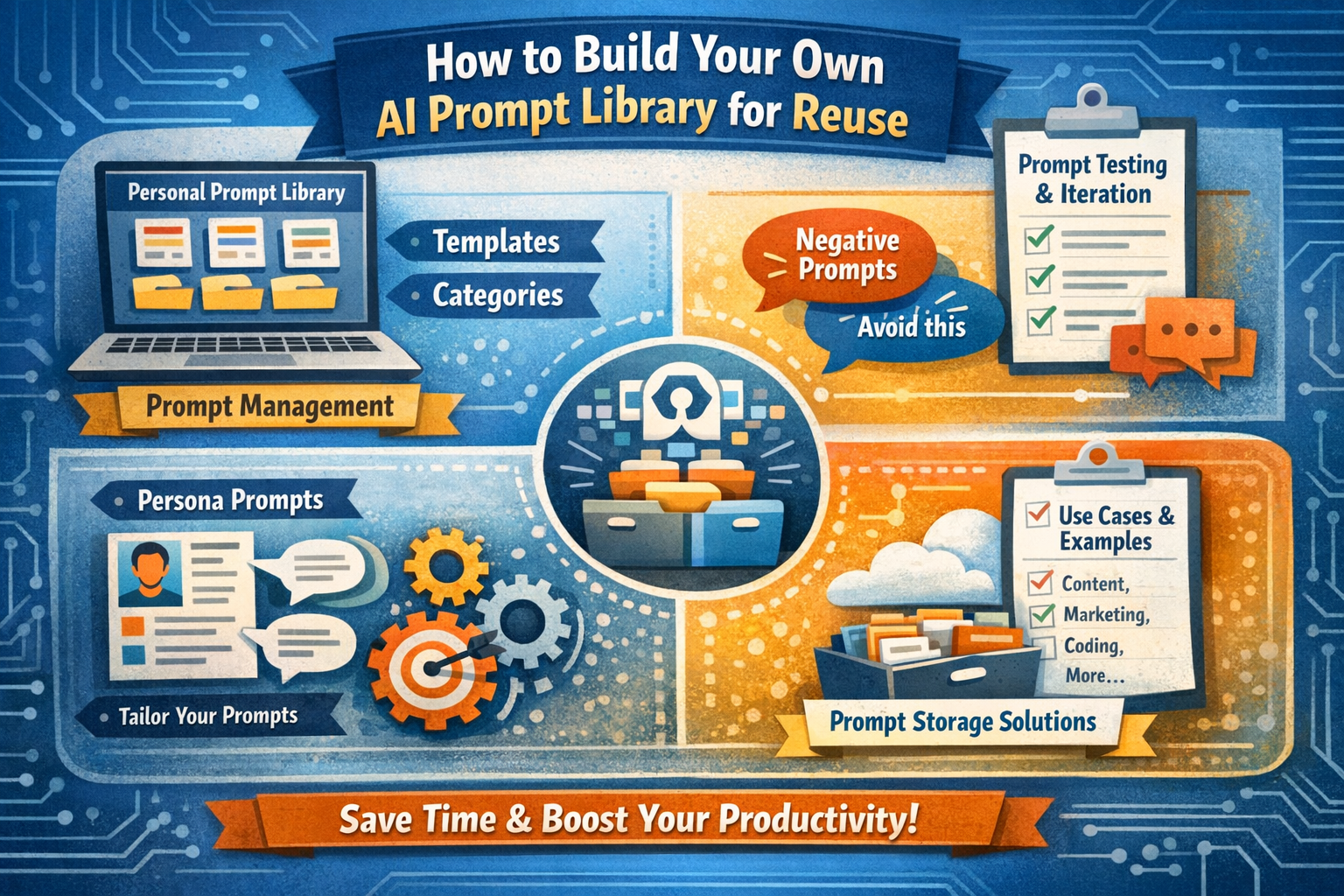
Along the way, we’ll cover everything from Prompt Templates and Negative Prompts to Persona Prompts and Prompt Storage Solutions, giving you a comprehensive roadmap for building a reusable prompt system.
1. Why You Need a Personal Prompt Library
Imagine spending hours crafting the perfect AI prompt, only to forget its wording when you need it again. Or worse, receiving inconsistent outputs because you’re manually recreating prompts each time. This is where a Personal Prompt Library becomes indispensable.
A well-maintained prompt library:
-
Reduces repetitive work: Reuse successful prompts without starting from scratch.
-
Ensures consistency: Standardize tone, style, and output across projects.
-
Supports collaboration: Share your curated prompts with teammates or clients.
-
Improves creativity: Focus on refining prompts instead of brainstorming them anew.
For example, if you’re a content marketer using AI to generate blog posts, having a set of Prompt Templates for introductions, conclusions, or SEO meta descriptions can save hours of work each week.
Similarly, designers or developers using AI for ideation can leverage category-based prompts to maintain consistency across projects.
2. Organizing Your Prompt Library with Prompt Management
Building a library is not just about collecting prompts—it’s about Prompt Management. Without a system, your library can quickly become cluttered, making it hard to find the prompts you need. Effective management involves three key steps:
a. Categorize Your Prompts
Organize your prompts into Prompt Categories. These could be based on:
-
Use Cases for Prompts: For instance, content creation, coding assistance, customer support, or brainstorming.
-
Persona Prompts: Tailor prompts to specific audience personas or roles. For example, prompts for a marketing manager versus a data analyst.
-
Output Types: Text, code, visuals, summaries, or conversational responses.
This categorization ensures that when you need a prompt for a specific task, you can find it instantly.
b. Use Prompt Templates
Prompt Templates are pre-structured prompts that can be reused with minor adjustments. They are particularly helpful when you have repetitive tasks. For instance, a template for generating blog outlines might include:
“Create a blog outline on [Topic] with [Number] sections, including subpoints and relevant examples.”
Templates save time and maintain consistency in your AI outputs. They also make testing new prompts easier since the structure is already proven.
c. Implement Prompt Storage Solutions
Choose the right Prompt Storage Solutions to keep your library organized. Options include:
-
Spreadsheets: Simple and effective for small libraries.
-
Notion or Airtable: Great for rich metadata, tagging, and linking prompts to projects.
-
Dedicated AI prompt management tools: Some platforms allow versioning, tagging, and team sharing.
The key is accessibility—your prompts should be easy to search, update, and categorize.
3. Optimizing Prompts for Maximum Impact
Creating prompts is only half the battle. To truly leverage AI, you need to refine and optimize your prompts regularly. This is where Prompt Testing & Iteration comes in.
a. Test Prompts Across Use Cases
Don’t assume a prompt that works once will always produce the same result. Test each prompt in different contexts and use cases. For example:
-
Does your content generation prompt work for technical topics as well as lifestyle topics?
-
Does a coding prompt produce accurate results for multiple programming languages?
Testing ensures that your Personal Prompt Library remains versatile and reliable.
b. Refine with Negative Prompts
Negative Prompts are instructions that tell AI what to avoid. For example, when generating content, you might add a negative prompt like: “Avoid generic phrases and clichés.” Negative prompts help control output quality, reduce irrelevant content, and fine-tune AI behavior for your specific needs.
c. Iteration is Key
No prompt is perfect on the first try. Use insights from your testing to iterate and improve. Keep track of which versions produce the best results, and update your library accordingly.
Over time, this iterative approach transforms your library into a high-performing resource that consistently delivers excellent outputs.
4. Leveraging Persona Prompts for Tailored Outputs
Different projects often require different tones, styles, or perspectives. This is where Persona Prompts become invaluable. By assigning a persona to a prompt, you guide AI to adopt a specific voice or approach. Examples include:
-
Marketing Persona: “Write this product description for a tech-savvy millennial audience.”
-
Educational Persona: “Explain this concept as if teaching a beginner.”
-
Professional Persona: “Draft a formal business email addressing a client concern.”
Persona prompts not only improve relevance but also help maintain consistency across your projects. When paired with Prompt Categories, you can quickly select prompts tailored to both audience and purpose.
5. Integrating AI Workflow Optimization
Your Personal Prompt Library becomes truly powerful when integrated with AI Workflow Optimization strategies. This means embedding prompts into structured workflows to streamline repetitive tasks. Some strategies include:
-
Automation: Use prompts in scheduled workflows to generate reports, summaries, or content automatically.
-
Batch Processing: Group similar prompts for bulk execution, reducing repetitive interactions.
-
Version Control: Track prompt versions and updates to ensure optimal results over time.
For instance, a content marketing team might use AI to generate weekly social media captions. With an optimized workflow, prompts are pre-selected from the library, executed in batches, and refined with negative prompts before publishing.
6. Real-World Example: Building a Reusable Prompt Library
Let’s consider a practical scenario: Jane, a freelance content creator, wants to save time on client projects. Here’s how she builds her Personal Prompt Library:
-
Categorization: Jane separates prompts into blog writing, email marketing, and social media content.
-
Templates: She creates reusable Prompt Templates for headlines, article outlines, and call-to-actions.
-
Testing & Iteration: Jane experiments with prompts across topics, refining them based on output quality.
-
Negative Prompts: She adds instructions like “Avoid passive voice” or “Do not repeat content” to improve clarity.
-
Persona Prompts: Jane tailors prompts for different clients, ensuring content matches each brand voice.
-
Storage Solution: She stores her library in Airtable with tags for quick retrieval.
-
Workflow Optimization: Jane integrates prompts into her daily workflow, generating drafts in batches to maximize efficiency.
Within weeks, Jane’s productivity doubles, and her AI outputs are consistently aligned with client expectations.
Conclusion: How to Build Your Own AI Prompt Library for Reuse
Building a Personal Prompt Library is more than a time-saving hack—it’s a strategic approach to enhancing your AI productivity.
By implementing Prompt Management, leveraging Prompt Templates, categorizing prompts effectively, and integrating Persona Prompts and Negative Prompts, you create a reusable system that consistently delivers high-quality outputs.
Coupled with Prompt Storage Solutions and ongoing Prompt Testing & Iteration, your library becomes a cornerstone of AI Workflow Optimization.
Start small, test extensively, and expand your library over time. Whether you’re an individual or part of a team, the effort invested in creating a well-structured prompt library pays off in creativity, efficiency, and reliability.
Your AI won’t just be a tool—it will become an extension of your expertise, ready to tackle any challenge with precision and speed.
Call to Action: Begin building your own AI prompt library today. Start by selecting 5–10 of your most-used prompts, organize them into categories, and watch how much time and energy you save while improving output quality. Your future self will thank you.
Also Read: Top Prompt Libraries for ChatGPT Claude And Gemini